25 Font Management Tools Reviewed

March 10, 2009 · Filed Under Uncategorized · 4 Comments 

Font speaks; they have their own language and message. Designers use them to communicate the intensity of message, sometimes; these are bold, sometimes italic and sometimes vey romantic. Font management is a new science which helps the professional designers to customize the font as per their needs and requirements. It’s a way to exercise freedom being a step ahead from just merely picking Font CD and installing the available fonts, this new font management tolls gives you a lot of options to quench your creative thirst. Fonts are as important in design as a picture. Their presentation and variation creates amazing impact and impressive designs.

In this post, we have tried to include most unique and state of the art font management tools. We will give you good account of the websites which offer such facility and the review will help you determine the best place depending upon your requirement.

Suitcase (Win) / Suitcase Fusion (MAC)

Suitcase These font management tools are simple in use with lots of font versions. There is a font vault where you can collect your fonts and it gives you more control for controlling fonts. Suitcase helps you to keep your font in secure place without damaging and auto activation. You can diagnose common font problems with FontDoctor feature. It has font preview and has a large font library.  

Linotype FontExplorer

Linotype This is a great font management tool with huge font library. All fonts can be used with keywords. You can request fonts with auto activation. You can make powerful font management with built in online store. It has a unique feature of growl support.

Master Juggler (MAC)

Master Juggler You can store font with MasterJuggler where you can organize fonts with font management tools. You can activate fonts at any moment and also preview of multiple fonts. This tool helps you to remove font corruption with Font Guardians.

Font Safari (MAC)

Font Safari is a great font management tool with multiple language tools. You can use font with keyboard shortcuts and you can view single character or whole text at same time.

FontCard (MAC)

Fontcard You can modify font menu and font panel with FontCard where you can find font collection as well. You can preview and duplicate your fonts as well. This font management tool is easy to configure through system [preferences.

Font Pilot (MAC)

Fontpilot You can browse uninstalled fonts folder with FontPilot. You can click any font in the slide show to install. You can view fonts from finder menu.

FontAgent Pro 4 (MAC)

FontAgent Pro 4 is very good font management tool with great features. It has huge font library with automatic activate and deactivate system. The users can share fonts as well create font nests for projects. You can maintain your separate font library as well.

Fontcase (MAC)

Fontcase (Mac) You can create your font collection in Unicode glyph table of Fontcase. It has a Bojour where you can share your fonts as well. The users can preview both installed and uninstalled fonts.

Typograf (Win)

Typograf It has variety of fonts collection consisting of OpenType, TrueType, and bitmap fonts. There is an advance tool of comparing fonts as well. This font management tool has a database of font collection and groups.

FontExpert 2007

FontExpert 2007 is used if you want to assign keywords, categories and ratings to fonts by assigning tags. Typeface has different options like copy, move, delete, filter, preview fonts. It has automatic activation and deactivation system as well. The user can search their desired fonts from the fonts library and can export it to HTML.

Advanced Font Viewer (Win)

Advanced Font Viewer is used for printed material. Designers usually use the fonts library of this tool. There is facility for the users to remove fonts, duplicate fonts with type specimens.

Font Frenzy (Win, free)

Font Frenzy You can re-install your desired fonts in Font Frenzy and also remove fonts with DeFrenzy. You can view preview of fonts. It has user friendly font manager which allows you to put your fonts in specific collection.

Font Xplorer (Win, free)

Font Xplorer helps you to preview both installed and uninstalled fonts from font collection. You can also filter fonts by character sets. The common font problem can be repaired with Integrated Repair Wizard. Support for all external programs is available.

Main Type (Win)

MainType is equally good for beginners as well as advanced designers. With filter option of this tool, you can choose the right font for you. The user can get the information about the font from font information pane. It has an easy to use interface where you can have preview of installed and uninstalled fonts.

The Font Thing (Win, free)

The Font Thing has a variety of fonts with all great font features like install, uninstall, copy, move etc. you can filter fonts as well with font management tool. These fonts can be used temporary without installing.

Cfontpro (Win, free)

Cfontpro This is a powerful font engine with plenty of printing proof sheets. All font options are available in it and it has support for HTML and Rich Text File format. It has advanced character map and character magnifier.

15 Useful Project Management Tools

February 27, 2009 · Filed Under Uncategorized · 6 Comments 

Project management is a really challenging task and project managers are highly occupied professionals, they are always on over to get some relief by courtesy of user-friendly technologies. Their hectic and diverse working style needs real support room some useful project management tools that can keep them focused, updated and informed with what’s up and beyond. There are much useful software available around which have been designed and developed by gathering real insight into the needs of project managers to manage their time and activities.

In this post, we have crated a fantastic combination of convenience and innovation for the project managers, they can get good assistance from these tools to enhance their performance and boost their confidence. One may find more detailed account of all these websites by visiting them and getting more detailed overview.

Basic Project Management Applications

These applications include different management tools with some additional features.

Light House
Lighthouse application is based on timeline and milestone by integrating with your email account. You can use beacons with the help of which you can increase the functionality of lighthouse. You can complete the ticket system with developer API Lighthouse can prove very useful with easy to use interface providing complete project management applications for developers. 

Springloops

Springloops subversion browser integrates project management. Its ultimate workflow can be used for web applications. AJAX code browser is the main feature of Springloops to download files. You can add users with email and also create new projects with different templates. Basecamp integrations help you to import projects. Pretty chagesets have plenty of information for you.

CreativePro Office

 
CreativePro Office is free with complete office management tools. There are easily navigated tab for clients, project, time sheets, finances and team members. You can use dashboard to add widgets which contains list of projects and invoices. Client manager helps you to see the information about clients while you can create unlimited projects in project manager. If you work with many clients then client tracking helps you to find your right client. Invoicing and Expense tracking can quickly create invoices.

Jumpchart


Jumpchart allows you to navigate website by creating pages into plan. This application is good for designers where they can add comments on each page. You can get help in mockup page by adding text in it.

No Kahuna
nokahuna It is a straightforward issue tracking platform which is very good for basic project management and ticket tracking. It is easy to use and quick to start.

Basecamp
Basecamp is one of the best project management applications with great features of to do lists, file sharing, message boards, time tracking and milestones. It is completely safe and secure which protects your password by providing Plus, Premium security to the users.

Wiki Based Project Management

You can use wiki based project management instead of basic project management with the complete solution of project management.

Trac Project
Trac project based on wiki project management has subversion browser, time line and ticket tracking. There are many plug ins available for web administration, authentication and code documentation on Trac Project.

PBwiki

PBwiki allows you to share files and get access to other folders and pages with an easy set up. You can edit existing pages and also leave a comment on each page.

Bug and Ticket Tracking

The basic project management helps you to remove common bugs that come on your website with built in ticket tracking.

16Bugs

16bugs is a simple bug tracking system used for different information. It has a quick and easy interface and color coded labels. You can create various types of accounts as well.

JIRA
Jira is a bug tracking software with plug ins which can increase its functionality. You can make charting, project management and Bamboo integration with this software.

Collaborating and Conferencing

You can have the solution on the collaborating problem on following websites.

activeCollab

Activecollab collaboration tools helps you in collaboration with other team members in project management where you can share your printing, time tracking and colander as well.

DimDim
Dimdim is a web conferencing tool  for online meeting. The main features of the site include voice over IP and teleconferencing and the users can chat as well.

Vyew
Vyew is a conferencing tools usually used for giving online presentation and the user can have the real time desktop sharing. It has also built in web cam, chat and voice over IP.

Invoicing

You have to send invoices if you are working on any project.

Simply Invoice

Simply invoice helps you to make invoices in no time with invoice templates where you can save your invoices in PDF format.

Less Accounting
Less accounting is simple accounting program with many features such as mileage tracking, sales lead management, and expense tracking. You can update your accounting on weekly basis.

Time Tracking

Time tracking is very important in your project management tools.

Live Timer

Live timer is can be used for billing purposes on computer and iPhone with daily ledger, bulk timer entry, and multiple currencie4s features.

fourteenDayz
Fourteendays, a time tracking program is for the team project management with day to day sheets and reports.

Online Music: 60 Essential Music and Audio Websites

February 1, 2009 · Filed Under Uncategorized · Comment 

Listening music has always been a popular thing for many people and there has been revolution in music after the introduction of internet. Different websites about with many options have made it much simpler. Now you can find the best music and tracks of your choice easily available on these websites which are good not only for the fans but also for the musicians. There is a music taste for every music lover on these websites with the best music options.

Internet Radio

Jango – Start playing free radio on internet just by typing the name of artist on Jango which provides best music for free.

TeaBrerak – Get the get the music for free on TeaBreak with facility to share it with other music lovers where you can customize Internet Radio.

Internet-Radio , a great music community where you can listen music of your choice and watch music videos. (www.internet-radio.org.uk)

Radio-locator , Just tune to radio-locator to listen the best music on thousands of internet radio stations all over the world. ( www.radio-locator.co)

RadioTower – Listen free music on RadioTower for all the latest hits by your favourite artists. ( www.radiotower.com)

 Music Discovery Tools

Mashable – you may browse similar artists and also find track lists on www.mashable.com


FutureofMusicBook – get the top lists of different artists and listen for free on www.futureofmusic.com


Mediafuturist – this tool helps you to get best music on the web (www.mediafuturist.com)

 
Social Networks
Soundpedia – discover the new music on the social network with the download facility (www.soundpedia.com)

Recorded-Music – a great place for the artists and bands to share their music with their friends.(www.recorded-music.com)
 
r4rmedia – create your profiles and tracks on the site where bands can sell their tracks as well (www.r4rmedia.com)


MusicV2 – find best music, upload tracks and share your music with others (www.musicv2.com)
 

Social-Music,  - make your play list including best tracks and find artists as well (www.social-music.com)


Music Sharing Applications and Widgets 
 

DriveAway – a huge collection of music for you where you can share it as well. (www.driveaway.com)
 

Muzocons – you can store your music, and upload your music (www.muzicons.com)


IndieRockcafe – connect with the similar users to get the music with similar taste (www.indierockcafe.com)


Widgetbox – update your music library and download your music (www.widgetbox.com)

 
Widgetplus – a place where you can store music to create your profile (www.widgetplus.com)

Music Marketplaces
 

MoreMusic – high quality music collection where you can choose your favourite tracks(www.moremusic.com)
 

NewMusicJukeBox – a place where you can buy music of your favouriter artists (www.newmusicjukebox.com)

 
CJS – a music store where you can find the variety of music (www.cjs.co.uk)


MusicMarketplace – a great marketplace where you can listen your music (www.musicmarketplace.com)

 
Jamming
 

iJamming – record music by jamming with other musicians (www.ijamming.net/music)

 
Jamstudio – record all your music and then invite other musicians as well.(www.jamstudio.com)

 
BanffJam – listen the variety of music by jamming your favourite tracks (www.banffjam.com)

 
SheetMusicplus – have the music which others will also like (www.sheetmusicplus.com)

 
imeem – a place where fans can meet their favourite artists and you can download your music for free (www.imeem.com)


Karaoke


PowerKaraoke – offers various converter tools and a software which can create, play and burn CD ( www.powerkaraoke.com)
 

FreeKaraoke – free karaoke for the music lovers (www.freekaraoke.com)
 
Karafun - a software with the help of which you can edit your play list (www.karafun.com)
 

Karaoke – best music karaoke for music lovers ( www.karaoke.com)
 
LoudKaraoke – karaoke music and songs with best karaoke machines (www.loudkaraoke.com)


Remixing


esnips – enables you to remix your music and listen to others. (www.esnips.com)


MyMusicTools – you can upload music and your favourite tracks and then remix them so that others can hear it. (www.mymusictools.com)


ocremix – collect all your favorite tracks to remix and then post on the web to share it with others. (www.ocremix.com)

 
evolvingMusic – apply the advance remixing tools in your favourite tracks with www.evolvingmusic.com


remix64 – a world of remixing music where you can remix every kind of music
(www.remix64.com)
Mobile Music Services
 
bitpipe – a network of mobile music allowing the artists to sell their favourite tracks and share with other music lovers as well.(www.bitpipe.com)


highbeam – contains the huge music for the music lovers where they can share top tracks with their friends (www.highbeam.com)
 

MobileMusicentertainment – a place where you can listen the music of every kind (www.mobilemusicentertainment.com)

Lyric Databases


sing365 – a place where you can find the hot lyric database of all new and old tracks (www.sing365.com)

 
Lyricsystem – contains the lyrics from all major artists with their favourite tracks (www.lyricsystem.com)


leolyrics – made for the people to find the alphabetical tracks on the web (www.leolyrics.com)


Lyricfind – the users can search all the music categories on this huge database with ease (www.lyricfind.com)

 
LyricDatabase – a lyric database for the music lovers to search their favourite tracks on the web (www.lyricdatabase.com)

Find the Best Wallpaper Websites

January 12, 2009 · Filed Under Uncategorized · Comment 

Wallpapers for each mood, day of the week, season and holiday are the rave for computer desktops of the world. Everyone wants something to express his or her style, show off an interest or express some holiday cheer. There are many sites to find them. Let’s look at the best wallpaper websites to make your desktop, cell phone and more look fabulous.
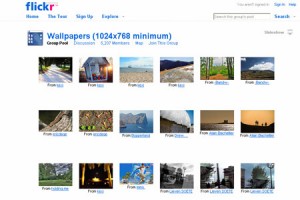

Flickr Wallpapers Pool
– Find a multitude of various beautiful and unique wallpapers to download from Flickr Wallpapers Pool.


InterfaceLIFT
– Seek out free high-resolution widescreen wallpapers at InterfaceLIFT. Search them by a plethora of options such as artist, date, resolution, mobile devices and more.
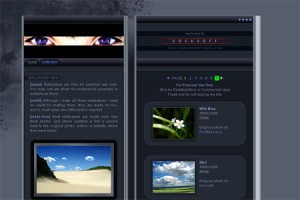

Socksoff.co.uk
– If you are looking to give your desktop some love, this is the place to do it. There is a marvelous display of free wallpapers for you to enjoy.


WallpaperStock
– Search out your favorite wallpapers from sexy girls, hot rods, scenery and much more all available to download.

PixiegirlPresents – Cartoons, abstract, animals, the unique and more are here at another one of the best wallpaper websites.


VladStudio
– Find wallpapers for your desktop, widescreen, iphone, dual monitors and more. Search out some fantastic graphic presentations here at this site.


DualScreenWallpapers
– You find your favorite wallpapers by size, favorites or the simply offbeat. Take yourself away to another world in some of these scenic graphics.

Mandolux – Search for wallpaper for your left, middle or right monitor in many sizes to fit your needs.


FantasyartDesign
– The free wallpaper found here is sorted in many categories to make searching easy. Find fantasy, science fiction, nature, abstract and more.


DevianArt
– Wallpapers from traditional, digital, flash and many more available for your download.


DesktopNexus
– An array of colors awaits you in this wallpaper website. Find anything from abstract, nature, technology, people and many more.

MyDeskCitiy – A rainbow of colors is available at this wallpaper site.


Veer
– Find uniquely styled wallpapers to suit your fancy.


WallpaperSytes.org
– There are wallpapers of landmarks, science, plants, animals, body, art, science and more at this download site for wallpaper.


Digital Blasphemy
– High-quality images look fabulous on any desktop.

Neon Sight Japan – If you are looking for eye-catching colors they are here.


RealityDreamShip
– A rainbow of colors is found at another of the best wallpaper websites.


Hebus.com
– Find mythological creatures, fantasy wallpaper and more at Hebus.

PimpMyDesk – This popular wallpaper site is revamping to add even more options for you to pimp out your desktop.

Klowner’s Wallpapers – Find designs from bubbles, abstract, holidays and more through this website.

Quality Wallpapers – Here you find anime, dual monitor and more in high quality designs.

Looroll – At Looroll you find wallpapers in 3D, abstract, anime and many others.


Wallpaper Joe
– Find the latest wallpaper design releases.


GypySpaceMuffin
– Find wallpapers for your desktop out of the norm of most wallpaper sites.


Aeiko.net
– Put nature’s design on your desktop.

MoodFlow – Let dreams come to life.


Shadowness
– Distinct styles from one of the best wallpaper websites is available fro download.

Mapa.co.kr – Everything you can want in a wallpaper site with digital, 3D, nature, games, people, movies, anime, sports and so much more to download.

Professional Web Design Forums

January 10, 2009 · Filed Under Uncategorized · Comment 

Professionalism is based upon the creativity which every professional experiences on the job. These cannot be taught nor imparted; these are learnt through experience and by doing something new. Professionals from all fields gather on different occasions to share their experiences and innovative skills. One such happening is online forums or workshops which are arranged to bring professionals from all backgrounds and cultures at one platform. These forums bring a lot of new ideas and ways to perform your task in simpler and smarter way.

In this post, we have collected very unique forums which can give highly rewarding experience to the professional web designers and they will learn new skills and ideas by attending these forums.
Here are some of the web design forums.

Sitepoint Forum


Sitepoint has a community of over 250,000 members from many fields. This is a great place for the programmers, designers and practical business men to meet each other. The professionals can also make sale purchase on this site. The design of the forum is of high standard quality.

Designers Talk Forum


Designertalk is a great forum for the designers with a huge community where designers can get plenty of information.

Stylegala Forum

Stylegala is a well known forum with good community and a clean design where professionals can get the solution of their problems. You can participate in the discussion taking place on different topics.

Dynamic Drive Forum

Dynamicdrive forum provides package solution and web design coding solution to the desigerns. The designers can participate on the coding topics as well.

Digital Point Forum

Digitalpoint forum includes networking, conversation and designing, business, marketing, Design & Development section for the professionals. It has a well maintained community.

Webmaster-Talk.com

Webmastertalk forum is running web design and there are also plenty of other sections as well. Interesting topics Internet Marketing and Making Money Online are popular topics of discussion on this forum. Huge community of 50,000 is maintained by this forum.

Kirupa.com

Kirupa offer the designers very good reference from the community of 100,000 members. There are sections of Flash and Gaming as well on this forum.

Dev Shed Forum


Deveshedforum members of this forum are 200,000 with good professionals. Generally web design topics are covered for the graphic designers in this forum with beautiful design.

Chawlk

At Chawlk The professionals can get the best solution of their professionals problems in various fields. There are communities of designers, coding, blogging, technology and software etc.

CodingForums.com


Codingforum is active forum for coding for web design. The huge community of 50,000 members can enjoy different topics on graphic and web design. This forum has a remarkable design.

Ozzu Forum


Ozzu Web Design and development topics are covered in this forum. There are sections of Internet marketing and graphics for the huge community of 30,000 on this forum.

 HTML Forum

HTML forum This forum covers different topics like Server Administration, Marketing and Business for the 30,000 members of the community. The design of this forum is also very good.

 Webdevforum

WebdevforumThis forum has the sections for Web Designs, HTML Reference and CSS where different areas of web designs are covered.

 Web Design Forum


Webdesign forumThere are over 10,000 members who are busy in discussion on different topics. It has a stylish design.

Killersites Forum

Killersites, Web design topics are covered in this forum. There are sections for web design which include HTML and CSS for the huge community of 70,000 on this forum.

Webdesignerforum.co.uk.

Webdesignerforum This forum is good for the web designers for networking solution. Although it has a little community of 3000 but it is increasing.

The Buzz About Widgets: Keep Blogging Interesting

January 5, 2009 · Filed Under Uncategorized · Comment 

Sometimes, there’s only so much blogging you can do before readers get bored or lose interest in visiting your site. Giving your blog an edge and adding some flair to it may give you the boost you need to see those visitor counts go up.

This is where widgets can be incredibly useful and so necessary. I find that, in moderation and using the right ones, widgets can be a valuable asset to you and the blogging community alike. I particularly love using the widgets that allow me to meet and stay connected with my audience. Still, there are widgets out there for every taste, and bloggers have an ample varietyof widgets  to choose from in the blogosphere.

My favorite widgets are listed below, but you can look around for widgets and you’ll be sure to find so many of them out there that your head will spin.

Yes. I am a Twitter addict. I spend a great deal of time posting on Twitter, letting people know what I’m doing and giving them insight into my exciting (or not-so-exciting) life. For those of you oblivious to the marvel that is Twitter, it is essentially a way of people letting each other know what they’re up to through status updates done either online or through your mobile phone. It can get pretty addictive if you’re really into the social networking aspect of the Internet like I am. Now, Twitter has created a widget that lets Twitters share their updates with blog visitors. The site will give you a code designed for your blog or profile, be it for Facebook, Myspace, Blogger, Typepad, or any other site that you would want it for. Now, not only can I share my Twits with my Twitter friends, but I can share them with the rest of the world.


By far one of the most functional and useful widgets I’ve come across, the Bitty Browser widget will simply blog your mind. The Bitty Browser is exactly what you think it is: a mini-browser embedded into your site. It can be used as a way of sharing your favorite websites, podcasts or files to your blog readers, or it can just be incorporated into your site as a way of letting your readers search for content without ever leaving your website. It keeps your readership where they belong — on your page — and it adds an interesting, useful and, yes, I’ll say it, adorable  widget to your page.

When we need storage for our large media files, many times we go to an online media storage site like Box.Net. We’re not always able to share those files with everyone we’d like to share with, however. That’s where the box.net widget comes in. This simple, slick widget allows box.net users to share their online media files with the rest of the world. It’s very simple, there’s not much to it, but if sharing media is something that you want to do with your blog, this is the best way to do it. It’s also very easy to sign up for and very easy to add to your page.

Skype is another one of those applications that has become almost indispensable, especially for business owners. Which is why this widget will be especially useful for those of you with either business blogs or personal blogs that mention business matters. The Skype widget lets people from all over the world see if you’re online and allows them to communicate with you through the Skype application. It’s incredibly user-friendly and the buttons add some flair and color to your site.

Widgets are a fun, useful way of increasing traffic to your blog website, but more importantly, they can also connect you to your readership in ways that other Internet tools can’t. Take a little while to look into widgets and see what they can do for you.

Top 10 Creative Ways To Display Time

December 10, 2008 · Filed Under Uncategorized · Comment 

Time is the most priceless commodity of our age. Smart people seek unconventional ways to exhibit their difference, time is one such way to show how you can make a common thing look different, and it’s the presentation which creates real difference. Time remains the same but ways to tell time gets different. For last few years, sophistication and innovation has made time saving techniques and solutions as critical as life saving solutions. Apart from using different displays of time in your software applications, these solutions are increasing productivity and enhancing time management skills.

We’ve collected most unique ways to display and manage your time which will go a long-way in making you most acclaimed time-manager.

This post covers most fantastic and creative ways to display and manage your time. These are equally good for anyone. We have given brief introductions of most selected time display site; you may get more insight by visiting the sites.


Uniqlock


Uniclock A girl is dancing to entertain you and to keep you involved with the things as well as display the time in an exciting manner..


Word Clock


Worldclock Another exciting and user-friendly clock is word clock. It can be easily downloaded and set as screensaver to keep you updated all the time.


Drop Clock


Dropclock A very beautiful display of time in which numbers are hanging down in water in very slow motion and its screen saver is available.


 Uncontrol Clock


Uncontrol You can download number of clocks on Uncontrol Clock which provides both analog and digital display by combining with each other.


FedEx “Just in Time”

 Fedex Just in Time is as accurate as you can imagine with an excellent design.


Pulse Clock

 Pulse Clock This is a simple and accurate digital clock built with Papervision for real display.


Humanclock


Human Clock People gather to display time in which picture continues to change with every minute. It is simple clock.


Industrial Clock


Industrial Clock The design of industrial Clock is amazing which has made the base of new video clock.

 Grid Based Clock

 Grid Based Clock is based on conctructivist for the time display. It has a unique system of vocabulary with screensavers.

 Clockr

 Clockr is based on random images for time display. Images will be changed by clicking on any image. You can have full preview of images as well.  

How to Use Adobe Flash to Make Your Page Pop!

November 24, 2008 · Filed Under Uncategorized · Comment 

By far, one of the coolest things I’ve come across while searching for ways to make my pages more interesting is Adobe flash animations. They’re all over the place; go to any website and I can pretty much guarantee that at some point you will run into some pretty awesome (or maybe not so much) animated flash images. I always wanted to learn how to create flash animations, but was afraid of doing so because I thought they might be too difficult.

As it turns out, it’s not only easy to do, but it’s even easier to find tutorials that will teach you how to create them. Here are some pretty interesting tutorials that I found while looking for ways to create flash images that would pop on the web page.

Picture Animation — At first glance, the image on the left looks like a bunch of white dots amidst some yellow and what looks to be some water. But when you click on the Picture Animation link you’ll find out a couple of things: one, that the image on the left is, in fact, a lemon and two, that creating an animated image of a lemon is not only cooler than you imagined, but also easier than you thought. I say lemon because that’s the image that the tutorial uses, but you can use any image — a flower, a plane. a phone. You name it, it can be done. It’s a neat way of getting started with these animations.


How to animate a logo — This particular tutorial is particularly vital for people who are trying to create dynamic logos for business web sites. It’s a fairly easy tutorial to go through for those who are familiar with these kinds of applications. It’s all done with Adobe Illustrator, one of the vector-graphic editors out there, probably the easiest one to use.

Old Grainy Flash (Old TV Effect) — This is, by far, my favorite effect in flash. You’ve seen it many times in movies; the old grainy movie, television effect that’s used a lot in flashback scenes or in simulated silent movie scenes, etc. You’ll be surprised how simple it is to recreate in flash. It adds such an interesting dimension to the flash components in your site, giving your site animation an extremely effective, visually impressive take. The folks at the link above give step-by-step instructions on how to create your own old grain flash animation, and they don’t make it very difficult at all.

Now, the stuff above are just a few of the tutorials that I found, but really, there are just so many out there that it’s hard to just pick one. A list of the best Adobe Flash tutorials can be found by following this link. Here, you’ll find dozens and dozens of tutorials, everything from creating movies with animated flash images in ActionScript to building an entire Flash site from scratch! Once you take a look around at all of the things that you can do with Adobe Flash, you’ll see why it’s one of the most versatile tools in web design out today.

Great Public Domain E-Book Sites Every Reader Should Visit!

November 17, 2008 · Filed Under Uncategorized · Comment 

As a writer and an avid reader, I not only enjoy books, but I recognize the importance of having access to them on a regular basis. I personally don’t know what I would do if I didn’t have books available to me. Now, with the Internet growing more and more each day, I find that my reading time is being taken up by blogs and web sites.

Recently, however, I started to miss reading my books and my novels. As much as I love print copies of books, the reality is that it is so much more convenient these days to look for e-books that can fill that void. The problem is that a lot of the mainstream e-book sites charge for books, which to be honest, in this economy, is not what I’m looking to spend my money on. But I did a little research and found a list of sites that have what’s called public domain e-books. Those are free to download and enjoy, and there are many titles to choose from, no matter what the genre.

Here are a couple of the ones that I found that I was really excited about!

Gutenberg.org, home of the first online project to bring free digital books to the masses, has been around for a long time, and its library is composed of over 25,000 public domain books for you to enjoy. It includes books in almost every language, ranging from classics like Machiavelli’s The Prince to Oscar Wilde’s The Picture of Dorian Gray. It might be difficult to find more contemporary titles, but this is definitely a good place to start should you be in the mood for some literary genius. Especially useful for high school students needing to read something for class!


Manybooks.net is a wonderful resource if you’re looking for digital books for your PDA, iPhone or eBook reader. It’s pretty amazing where technology has taken us; once upon a time, cell phones were completely separate from organizers, which were an entirely separate thing from books. My, how times have changed! Now, thanks to sites like Manybooks.net, you can turn your PDA phone into a book with the push of a button or a touch of a screen. This particular site has everything from romance and non-fiction to suspense and pirate (yes, I said pirate) tales.

Now, here’s one that I was fascinated by, not so much because of the books that it carries, but because of the aim of the site itself. The free e-book site Read Easily was created specifically with the needs of the visually impaired in mind. The print of the e-books is large enough so that anyone who has problems reading the small print in regular books can enjoy the same books that we all have access to. This is a great site for the elderly especially, and there are some well-known classics in their library, books like Huckleberry Finn and A Tale of Two Cities and The Count of Monte Cristo. I was quite intrigued by the home page which, in addition to introducing visitors to their free services, gives statistics for visual impairment worldwide and why the web site is so important.

I was very happy to find these sites and many more. Go here for a list of some more sites that might keep you reading.

Enhance Your WordPress Blogging Experience

November 10, 2008 · Filed Under Uncategorized · 2 Comments 

 love WordPress. It’s user-friendly, simple to understand and so comprehensive when it comes to managing your blog.

I’m not the only one that feels this way. In fact, WordPress is one of the fastest growing blog hosts on the web, and bloggers all over the world can easily understand why. Its interface is easy to use and there are so many things you can do, so many templates you can choose from — the list goes on and on.

Now, there are different applications and tools that you can add to your WordPress blog to enhance your blogging experience and make it even more useful and exciting for you, while helping you bring more readers into your space.


Courtesy of Brave New Code comes Crossroads, a plug-in that adds Flickr photos to your blog. One of the few drawbacks of WordPress is that it doesn’t have great photo capabilities. With things like Photobucket and Flickr out there, the only problem becomes incorporating those into your blog with no problems. Crossroads helps bring your Flickr account to your blog without any hassles. It doesn’t work on Photobucket but, then again, Flickr is the fastest growing photo host on the web right now.

Excerpt Editor is a plug-in that allows you to create and edit all of your WordPress excerpts. It also allows you to create excerpts for pages, which is something that can only be done with a plug-in. Excerpts give your readers a little taste of what they can read on your blog. WP gives you limited space as to what you’d like to include on your excerpt. With this plug-in, you have the control over what you allow your readers to see.

With the introduction of podcasting into the World Wide Web, it’s now possible to add podcasting capabilities to any page, space, or blog out there. The folks at Mighty Seek have put out a link for podPress, a plug-in that allows bloggers to share their recorded podcasts with people out on the web. Podcasts are kind of like the Internet’s version of a radio broadcast. You can subscribe to podcasts that cover everything from fishing to poetry; anything that you’re interested in, you can find a podcast for somewhere. Now with podPress plug-in, you can add podcasts to your WP blog as well.

We’ve all seen it: that Share This button at the end of a blog entry, web page, or Internet article that allows you to share it with the rest of your friends through email, social networking sites, or bookmarking. Now you can add it to your WP blog. The Share This button gives the reader options to share your blog with about 20 different sites, including Facebook, Myspace, Digg, Technorati and Google. By providing this function to your site, you’re automatically adding functionality as well as accessibility to your web space, making it more attractive to those that come see it. It’s great for blogs that are frequently updated and that have information and articles that can help many people, such as how-to and DIY blogs.

These are just a few of the apps that will enhance and improve your WP experience. You can find an entire toolbox of WordPress applications and plug-ins below.

Alexa Rank - shows Alexa rank.

Google PageRank - displays Google Page Rank.

Plug ‘n’ Play Google Map - adds a Google Map.

Google MapSearch Widget - Google Maps search.

Cool Weather - shows weather forecast.

Live Spell Checker - spell checker in admin area.

Ajax Comment Preview - preview comments.

AJAX Comments 2.0 - updates comments page automatically.

Hottaimoijiruna - adds a self-updating clock.

WP e-Commerce - adds a shopping cart.

Currency Converter - a real-time currency converter.

Crossroads - adds thumbnails from Flickr.

imgViewJX - refreshes an image.

XDTalk - allows conversation between users in real-time.

WP-Post Ratings - allows rating your posts.

Hardened-Trackback - fights trackback spam.

Wordpress Mailing List - created a mailing list.

WP-Polls - adds customizable polls.

AjaxWP - adds AJAX.

Gregarious - social bookmarking (Reddit, Digg, and more).

Anti Spam

Did You Pass Math?

Akismet

Comment Timeout

Bad Behavior

Spam Karma

Comments

Edit Comments XT

Custom Smileys

Live Comment Preview

TinyMCEComments

Whisper

Comment Karma

Avatars

Gravatar

Favatars

MBLA

OpenID Comments

For Admin

WP Plugins Tracker

WP-Custom Login

WPAds  

WP- DBManager

Download Counter

Simple Tagging

Bannage

Batch Categories

Mass Post Manager

Ajax Spell Checker

CommentCentral

Admin Dropdown Menus

Custom Admin Menu  

Dashboard Editor

Digital Fingerprint  

Just Unzip

Mutliply

NextGEN Gallery

OneClick Install

Page Link Manager

Permacop

Post2Page

PlugInstaller

Search and Replace

Share This

Image Management Tools

ImageManager

Batch Image Uploader

PhotoZip

Flickr Photo Album

FlickrRSS

Another Flickr

Smugmug Gallery Bar

Facebook Photos

Slickr Gallery

ImageShack Uploader

Aniga Gallery

Duh Gallery

BubbleShare

Fotobook

Enlarger

WP Wetfloor

IImage Panorama

Multi-Topic Icon

Music

XSFP Player

Audio Player 

Video

YouTube Video Gallery 

YouTube Brackets

TubePress   

Anarchy Media Player 

Easy Inline SWF 

vPIP

SeeTheFace 

Extreme Video 

wordTube

Stats for the Blog Owner 

Ultimate Google Analytics

WordPress.com Stats

WP-Stats   

Social Traffic Monitor 

FeedStats

Backlinks inbound links counter

Bsuite 

Word Count

DownloadCounter

Dschini Bot Checker

Feed Statistics

FirStats

GoStats web counter 

Live 

Open Web Analytics

Posts/Comments Time

Search Phrases

Post Administration & Layout

Post Notification   

Posts Expire 

Post Repeater 

Add Graphic Signature

Subscribers Only

Subscribe-Remind 

Corrector

DropCap First Character   

Notify On Draft Post

RSS Feed Tools

Feed Master 

Better Feed

Feed Control 

Feed Styler  

Feed Footer

FeedStats 

Social Bookmarking  

Social Bookmarks Plugin for WordPress

Social Bookmark Buttons

Digg Button 

Digg IT 

DiggClick

Sociable

wphotspots   

Blogmark Integration 

Ma.gnolia Widget 

Facebook Comments 

StumbleCrumble

Miscellaneous Site Integration

Amazon Wishlist

Last Amazon Review

YouTube Video Gallery

Your YouTube Favorite Videos

EasyPayPal 

PayPal Donate Button

Ebay Sales Lister

GetWiki

Next Page »